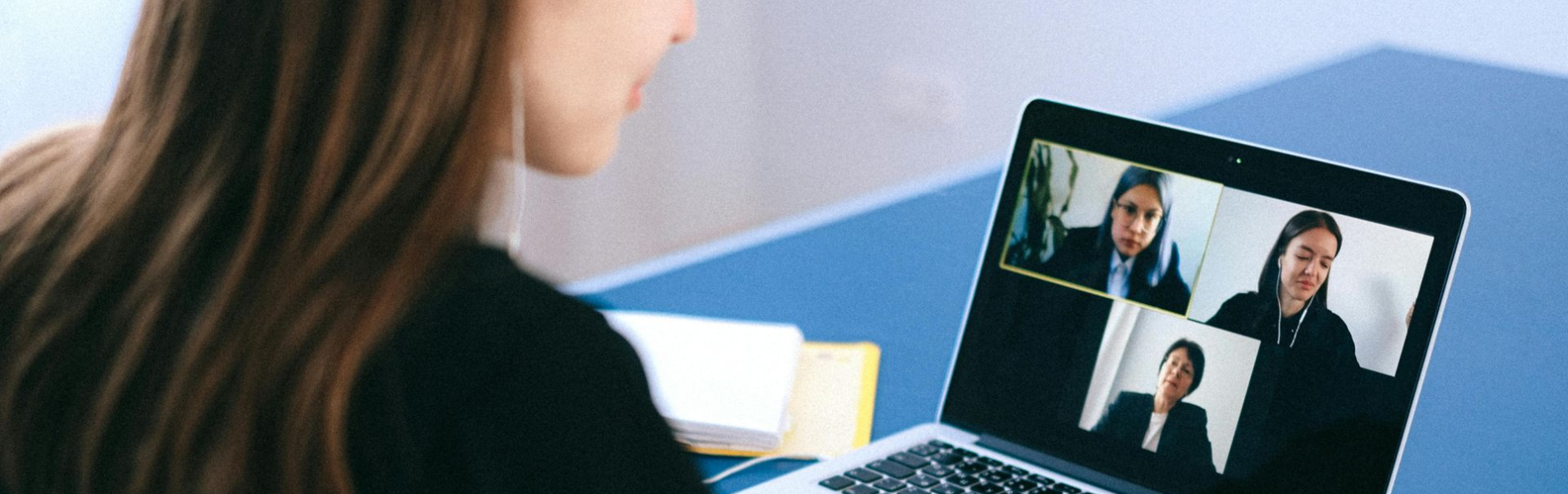
The digital world has revolutionized the way we interact and get things done. From online conversations to boardroom meetings, people are increasingly choosing easier and more efficient ways to accomplish tasks – often with just the click of a button.
This shift has also made its way into recruitment spaces and agencies. Virtual interviews have become the new normal. Whether you’re applying for a remote role, an international opportunity, or a position in your local city, chances are your first interaction with an employer will take place online.
Knowing
how to prepare for a virtual interview can be the difference between getting hired and missing out on a great opportunity. The good news? With the right preparation, you can feel confident, professional, and fully ready to impress.
In this comprehensive guide, we’ll walk you through practical, easy-to-follow steps to help you succeed in your next virtual job interview.
What Is a Virtual Interview?
A virtual interview is a job interview conducted online using video conferencing platforms such as
Zoom, Microsoft Teams, Google Meet, or similar tools. Instead of meeting in a physical office, you connect with the interviewer through your phone, laptop, or desktop computer.
Virtual interviews can be:
- Live video interviews (real-time conversation)
- Pre-recorded interviews (you record answers to preset questions)
- Panel interviews (multiple interviewers on the call)
- Technical interviews (with live tests or screen sharing)
Because employers are increasingly hiring remotely, mastering virtual interview skills is now essential for every job seeker.
1. Test Your Technology Before the Interview
One of the most important virtual interview tips is to test your equipment in advance.
Check the following:
- Stable internet connection
- Working webcam
- Clear microphone and speakers
- Fully charged laptop (or plug it in)
- Updated video conferencing software
Do a mock call with a friend to confirm everything works properly. Technical issues during a virtual job interview can make you appear unprepared, even if it’s not your fault.
Pro Tip: Log in at least 10–15 minutes early on interview day
2. Create a Professional Interview Environment
Your surroundings speak before you do. Employers notice your environment immediately.
Here’s how to set up your space:
- Choose a quiet room with minimal distractions
- Sit in front of a clean, neutral background
- Ensure good lighting (natural light facing you works best)
- Keep pets, children, and background noise to a minimum
- Avoid sitting on your bed or in cluttered spaces
A tidy setup communicates professionalism, focus, and seriousness about the role.
3. Dress Professionally (Yes, Even at Home!)
It might feel tempting to dress casually because you’re at home, but don’t.
Dress as you would for an in-person interview:
- Business professional for corporate roles
- Business casual for creative or tech roles
- Avoid loud prints and overly bright colors
- Keep accessories minimal
Even if the interviewer only sees your upper half, wear full professional attire. It puts you in the right mindset and prevents awkward moments if you need to stand up.
4. Research the Company Thoroughly
Preparation goes beyond technology. You must understand the company you’re applying to.
Research:
- The company’s mission and values
- Recent news or achievements
- Their products or services
- The job description in detail
- The interviewer (if you know their name)
Tailor your answers to align with the organization’s goals. Employers are impressed by candidates who clearly understand the role and how they can contribute.
5. Practice Common Virtual Interview Questions
Preparing answers in advance boosts confidence and clarity.
Here are common questions asked in virtual interviews:
- Tell me about yourself.
- Why do you want to work here?
- What are your strengths and weaknesses?
- Describe a challenging situation and how you handled it.
- Why should we hire you?
Practice answering concisely. Avoid memorizing scripts – instead, focus on key points so you sound natural and conversational.
6. Maintain Strong Virtual Body Language
Body language is just as important in virtual interviews as in physical ones.
Key virtual body language tips:
- Look at the camera (not the screen) when speaking
- Sit upright with good posture
- Smile naturally
- Avoid fidgeting
- Use controlled hand gestures
7. Eliminate Distractions
Before your interview:
- Silence your phone
- Close unnecessary computer tabs
- Turn off notifications
- Inform people in your home not to interrupt
Multitasking during an interview is noticeable and unprofessional. Give the interviewer your full attention.
8. Keep Important Materials Nearby
Have these ready:
- A copy of your resume
- The job description
- A notebook and pen
- Questions you want to ask
- A glass of water
Avoid shuffling papers loudly. Keep everything organized and within reach.
9. Prepare Smart Questions to Ask
At the end of most virtual interviews, you’ll be asked:
“Do you have any questions for us?”
Never say no.
Instead, ask thoughtful questions such as:
- What does success look like in this role?
- What are the next steps in the hiring process?
- What challenges is the team currently facing?
- How would you describe the company culture?
This shows interest, initiative, and long-term thinking.
10. Follow Up After the Interview
Within 24 hours, send a professional thank-you email.
Keep it simple:
- Thank them for their time
- Reaffirm your interest
- Mention something specific you discussed
- Express appreciation for the opportunity
Following up demonstrates professionalism and enthusiasm.
Common Virtual Interview Mistakes to Avoid
To increase your chances of success, avoid these common errors:
- Logging in late
- Poor lighting
- Distracting background
- Reading answers directly from notes
- Interrupting the interviewer
- Speaking too fast
- Forgetting to mute when necessary
- Not testing technology beforehand
Small mistakes can leave a lasting impression – so preparation truly matters.
Bonus Tips for Remote Job Interviews
If you’re applying for remote positions, interviewers may assess additional skills:
- Self-discipline
- Time management
- Communication skills
- Ability to work independently
- Familiarity with digital tools
Be ready to share examples of how you’ve worked remotely or managed tasks independently in the past.
Final Thoughts: Confidence Comes from Preparation
Learning how to prepare for a virtual interview doesn’t have to feel overwhelming. With proper planning, testing your technology, organizing your space, practicing your answers, and presenting yourself professionally, you’ll walk into your next online interview with confidence.
Virtual interviews are here to stay. The more comfortable you become with them, the more opportunities you open for yourself – locally and globally.
Always remember; preparation reduces anxiety, practice builds confidence, and professionalism leaves a lasting impression.
Your next job opportunity might be just one virtual interview away. Make it count.